Create your own PDFs for free

FreePDF XP is a simple app that allows you to create PDFs from any application – for free!

Top Recommended Alternative
When it comes to saving documents to the web, PDF format rules the roost. However, users often complain that the leading PDF applications, like Adobe Acrobat, are pretty expensive.

Thankfully, FreePDF offers a free alternative that does a pretty good job of making PDF files, complete with password protection. You can use FreePDF XP to save to PDF from a number of formats, including Word documents, pictures or Web pages.

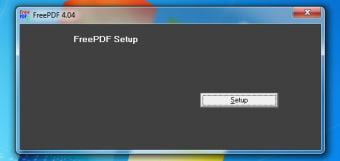
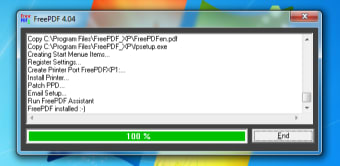
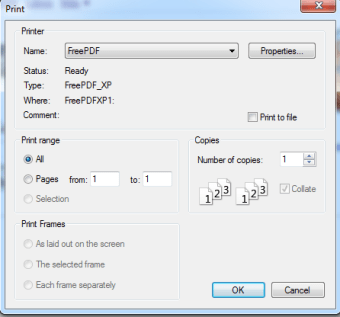
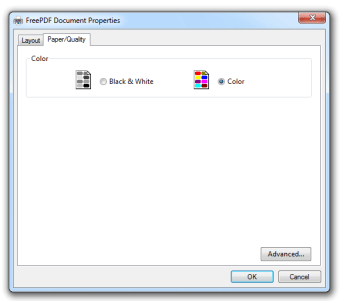
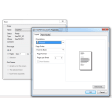
FreePDF XP is really easy to use, installing itself on your machine and adding an option for you to Print to PDF in your printer dialog.

From here you can choose from a variety of options for output, such as dimensions and resolution. If you want to save documents to PDF as cheaply and easily as possible, check out FreePDF XP.

Changes

On computers with Outlook or Outlook Express is automatically in place of ShellMail.exe fpMailer.exe enabled Existing installations can be improved by the setup Auto-Setup should now do the same in Windows Vista, Windows 7 and Server 2008 / 2008 R2


  • Pros

    • Automatically adds an option in your printer settings
    • Handles a wide range of file formats
    • Lots of options
  • Cons

    • Limits on the number of PDFs you can generate in this version
 0/4

App specs

  • License

    Free

  • Version

    4.06

  • Latest update

  • Platform

    Windows

  • OS

    Windows XP

  • Language

    English

    Available languages

    • Czech
    • German
    • English
  • Downloads

    872.2K

    Last month's downloads

    • 34
  • Size

    1.72 MB

  • Developer

Program available in other languages


User reviews about FreePDF XP

3.6

3 reviews

Add review

Main reviews for you

  • Anonymous user

    Works perfectly, but is hidden, you have to select from the Print... menu. Would have given it 10/10 but for the sneeky Softonic Downloader, and the complete lack of and explanation or Help with this program. Pros: Make perfect .pdf file from Word .docNeed to select 'FreePDF' as the printer from the Print... window in Word. Then, on pressing OK the FreePDF program will (finally!) open and offer you options as to what to do with the 'pdf' file it will then create.

  • Anonymous user

    Rotate. hi i like the program too, it's too easy. the only thing is that it can't rotate the pages.can someone tell me how to rotate a page without buying adobe reader.

  • Anonymous user

    Does not work with vista 64 bit. I like FreePDF XP, have used it for about three years. I have a new laptop w/ Vista 64 bit. Installation will not work with vista 64 bit.I highly recommend this program if have XP or vista 32 bit systems. Pros: features: save as, join pdfs, draft or high quality modes Cons: Does not work with windows Vista Business 64 bit system

More

You may also like

Alternatives to FreePDF XP

Explore Apps

Latest articles

Laws concerning the use of this software vary from country to country. We do not encourage or condone the use of this program if it is in violation of these laws.
Softonic

Is FreePDF XP safe?

96/100

Score result: Clean

This file passed a comprehensive security scan using VirusTotal technology. It is safe to download.

  • Virus free
  • Spyware free
  • Malware free
  • Verified by Security Partners

    VirusTotal logo

Scan Info

Last scan
Thursday, May 2, 2024
Scan provider
VirusTotal · Full report

File Integrity

File
FreePDF4.06.EXE
SHA256
dfe77f35a1837cf0dcc642a329adc9ae31e8ff6eddb08ef987ec779833f8fa02
SHA1
882b39307bd4d4d6903f3549aa75d4a97d6f4a09

Softonic security commitment

FreePDF XP has been thoroughly scanned by our advanced security systems and verified by industry-leading partners. This file comes from the official developer and has passed all our security checks, showing no signs of viruses, malware, or spyware. For more information, visit our Security and Trust Center